> ## Documentation Index
> Fetch the complete documentation index at: https://docs.httpmon.dev/llms.txt
> Use this file to discover all available pages before exploring further.
# Diff view
> Compare two flows side-by-side
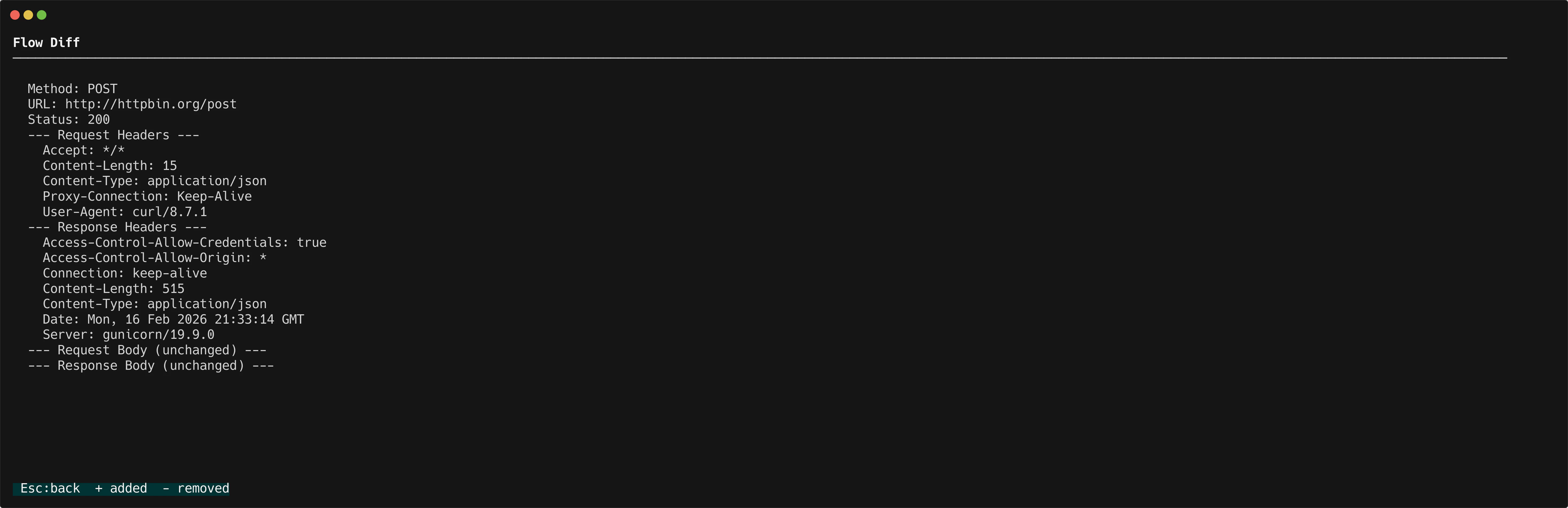
Diff view lets you compare two captured flows side-by-side. You can spot differences in methods, URLs, status codes, headers, and bodies at a glance.
## Mark flows for comparison
1. Navigate to the first flow in the flow list and press `d` to mark it.
2. Navigate to the second flow and press `d` again.
httpmon opens the diff view automatically after you mark the second flow.
## What gets compared
The diff view shows a side-by-side comparison of:
* **Method and URL** -- See if the endpoints or HTTP methods differ
* **Status code** -- Compare response status codes
* **Headers** -- Spot added, removed, or changed headers
* **Bodies** -- Line-by-line diff of request and response bodies
For small bodies, httpmon shows a standard line-by-line diff with additions and removals highlighted. For large bodies (over 200 lines), httpmon switches to a sequential diff that keeps the view readable.
 ## When to use diff
* Compare a request before and after a code change
* Verify that a scripting hook modified the right headers
* Check why two similar requests produce different responses
## When to use diff
* Compare a request before and after a code change
* Verify that a scripting hook modified the right headers
* Check why two similar requests produce different responses