> ## Documentation Index
> Fetch the complete documentation index at: https://docs.httpmon.dev/llms.txt
> Use this file to discover all available pages before exploring further.
# Quick start
> Start intercepting HTTP traffic in 4 steps
Get httpmon running and capturing traffic in under a minute.
Install with Homebrew (macOS/Linux) or see [all installation options](/installation).
```bash theme={"theme":{"light":"github-light","dark":"github-dark"}}
brew install kostyay/tap/httpmon
```
The fastest way to start is with `--browse` — it configures the system proxy and opens the URL in your default browser automatically.
```bash theme={"theme":{"light":"github-light","dark":"github-dark"}}
httpmon --browse https://httpbin.org/get
```
The CA certificate is installed automatically if needed (may prompt for sudo). Proxy settings are restored when httpmon exits.
Launch the proxy and configure your browser or application manually.
```bash theme={"theme":{"light":"github-light","dark":"github-dark"}}
httpmon
```
Set your browser to use `http://localhost:8080` as its HTTP proxy, or use environment variables for CLI tools:
```bash theme={"theme":{"light":"github-light","dark":"github-dark"}}
export http_proxy=http://localhost:8080
export https_proxy=http://localhost:8080
```
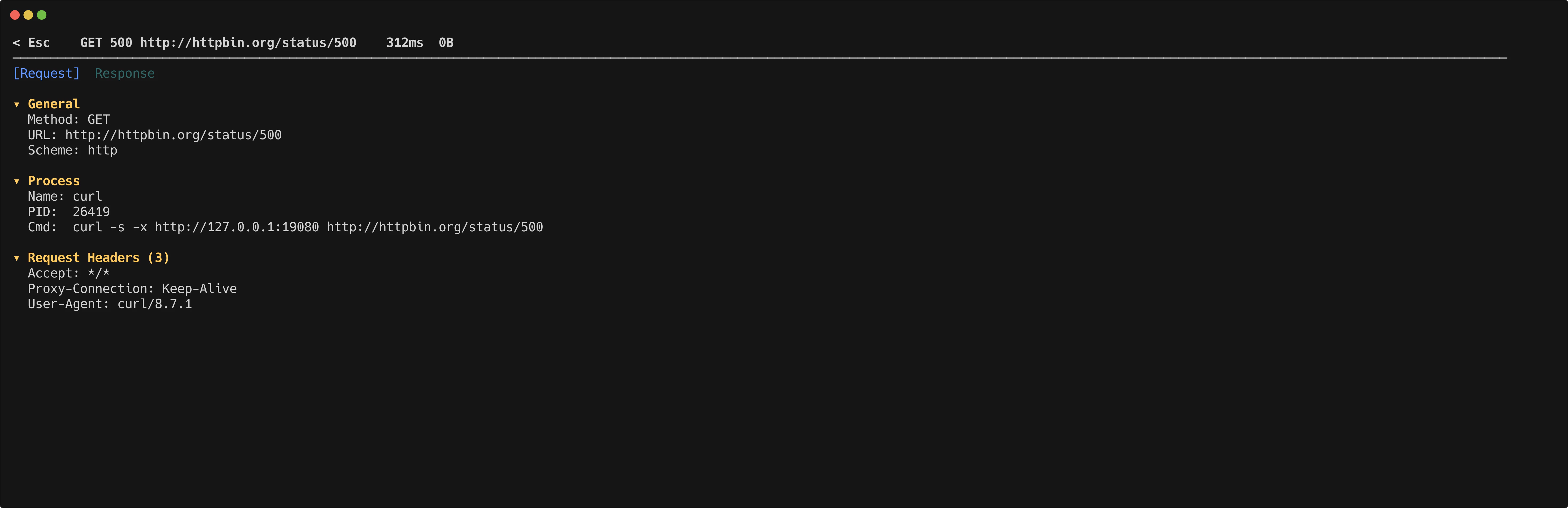
Flows appear in the TUI as they arrive. Use `j` and `k` to navigate the flow list. Press `Enter` to open the detail inspector for any flow.
 ## Enable HTTPS interception
By default, httpmon only intercepts plain HTTP traffic. To intercept HTTPS, you need to trust the httpmon CA certificate.
```bash theme={"theme":{"light":"github-light","dark":"github-dark"}}
sudo httpmon --install-ca
```
This generates a CA certificate (if one does not exist yet) and adds it to your system trust store. See [CA certificate setup](/ca-setup) for manual installation steps and browser-specific instructions.
## Enable HTTPS interception
By default, httpmon only intercepts plain HTTP traffic. To intercept HTTPS, you need to trust the httpmon CA certificate.
```bash theme={"theme":{"light":"github-light","dark":"github-dark"}}
sudo httpmon --install-ca
```
This generates a CA certificate (if one does not exist yet) and adds it to your system trust store. See [CA certificate setup](/ca-setup) for manual installation steps and browser-specific instructions.