Puter Marketplace
pixvec
10+
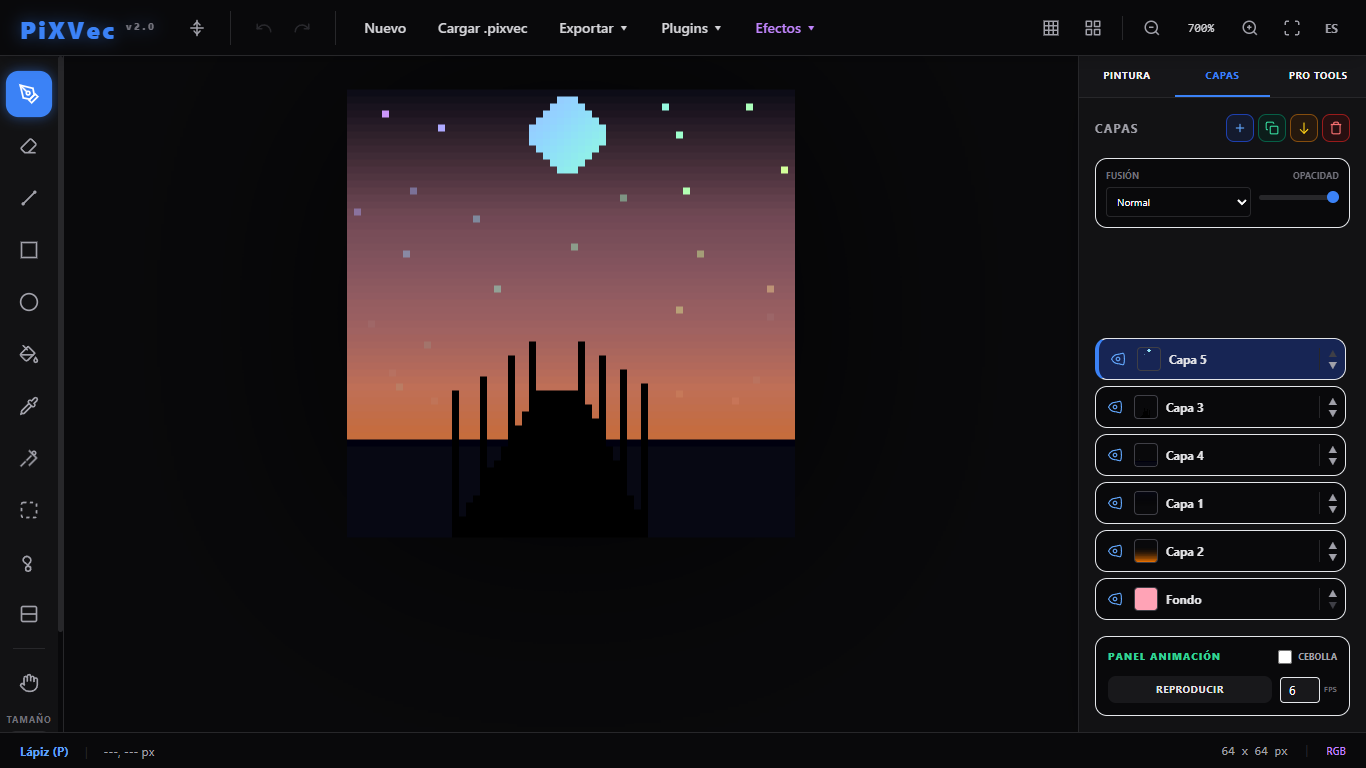
PiXVec 2.0 breaks into the game development and digital art ecosystem as an advanced Pixel Art editing suite, meticulously designed to bridge the nostalgia of classic rendering with the demands of modern studio workflows. This version is far more than a simple drawing tool; it is an optimized production environment that eliminates common technical barriers, empowering both independent designers and AAA studios to bring their creative visions to life with surgical, pixel-level precision. *Real-Time Lighting and Volume Rendering* The true quantum leap in this update lies in its powerful Geometry and Lighting engine. Through revolutionary tools such as Dynamic 3D Volume and Volumetric Illumination, PiXVec 2.0 automatically maps normal maps directly from your two-dimensional artwork. This allows you to inject warm ambient glows, directional light sources, and interactive neon highlights that react dynamically over the canvas, granting your flat sprites and illustrations an unprecedented atmospheric depth in the industry. *Color Laboratory and Advanced Dithering* Chromatic management is elevated to the next level with the built-in Harmonic Palette and Advanced Painting assistant. PiXVec 2.0 automates color theory by instantly generating complementary, analogous, triadic, and monochromatic palettes based on your base selections. Coupled with advanced Retro Dithering algorithms (including checkerboard, lines, and dot patterns) and an intelligent Shading Brush, artists can sculpt highlights and shadows with flawless aesthetic consistency. Furthermore, the innovative Palette Analyzer cleans your workflow by automatically detecting redundant or overly similar tones that might otherwise muddy the final export. *Fluid Animation and Strict Multi-Layer Control* Engineered for animators and environmental designers, the suite offers a revamped, high-performance Layers and Animation timeline. Featuring native support for multiple layer blending modes (such as Multiply, Screen, and Overlay) and individual opacity controls, composing complex scenes is entirely intuitive. The integrated animation engine includes customizable onion skinning and an adjustable frames-per-second (FPS) playback system, making it ideal for testing walk cycles or complex visual effects (VFX) on the fly. *Game Dev Productivity and Seamless Design* Designed to dramatically optimize turnaround and delivery times, the software incorporates a Seamless Tiled Mode that replicates the canvas into a surrounding grid pattern, allowing you to create seamless repeatable textures and background tiles in real time without visible edges. Productivity is further enhanced by PixelPerfect stroke stabilization—which eliminates unwanted double pixels—and an Isometric Guide that snaps clean 2:1 lines for flawless axonometric projections. *Open, Extensible Architecture and Multi-Format Support* PiXVec 2.0 redefines versatility through its native JavaScript Plugin Management system, allowing developers and technical artists to extend the main toolbar and inject custom tools tailored to specific project needs. On the export front, the platform provides a comprehensive professional suite: from native .pixvec project saving with full history preservation, to high-fidelity, blur-free upscaled PNG and JPG exports, and direct conversion into clean vector geometry via SVG (Scalable Vector Graphics)—ensuring your pixel art is perfectly scalable and print-ready at any resolution.
Word Processor
1K+
Online Word Processor and Document Editor: The powerful, open-source alternative to Google Docs and Microsoft Word Create, edit, and collaborate on documents online with Word Processor — a feature-rich word processing solution that works seamlessly across all your devices. No subscriptions. No limitations. Just professional-grade writing and editing tools at your fingertips. *Rich Formatting & Styling* Format your documents with advanced tools including fonts, styles, tables, headers, footers, and more. Create professional resumes, reports, letters, and essays that look exactly how you want them. *Complete Compatibility* Open, edit, and save documents in all major formats: .docx, .doc, .odt, .rtf, and more. Perfect compatibility with Microsoft Word and Google Docs means you can work with files from anyone, anywhere. *Powerful Collaboration* Work together in real-time with teammates and friends. Share documents with customizable permissions, see live edits from collaborators, and maintain full version history to track changes. *Always Accessible* Access your documents from any device — desktop, tablet, or smartphone. Cloud storage integration lets you save your work securely and pick up where you left off. *Privacy First* Your documents belong to you. Word Processor doesn't track your activity or sell your data. Built on open-source foundations, you can trust your information stays private. *Advanced Tools* Track changes, add comments, use mail merge, create bookmarks, insert images and media, and utilize built-in spell-check and grammar tools to polish your writing. *Offline Support* Start editing documents offline and sync automatically when you reconnect. No internet required to keep working. WHY CHOOSE WORD PROCESSOR? Unlike subscription-based alternatives, Word Processor gives you professional document creation for free. Whether you're a student, professional, or business, you get enterprise-grade features without enterprise pricing. Our open-source approach means transparency, security, and continuous improvement driven by our community. Perfect for writers, students, professionals, small business owners, and anyone who needs reliable document editing software. Word Processor — Online. Powerful. Yours.
100+
50K+
50+
World Cup Fever
Basketball Tap
Stacky Clown
PDF Editor
Judge0 IDE
10K+
RepoRecon
1+
Memos
500+
Camera
100K+
A powerful, easy camera for your browser. Get a full-screen live preview, apply rich looks instantly, and save everything to your Puter cloud so your shots stay safe across devices. Upload your own LUTs or pick built-in filters (warm, cool, vintage, B&W, sepia) and tune brightness, contrast, saturation, exposure, and temperature. Creative effects like vignette, blur/sharpen, kaleidoscope, fisheye, ripple, bulge, twist, pixelate, posterize, scanlines, thermal, edge detect, zoom blur, and glitch make every capture feel unique, and what you see on screen is exactly what you save. Capture crisp photos or record HD video up to 5 minutes with optional clear audio and noise suppression. Switch between front/back cameras, toggle flash when supported, set 3s/5s/10s timers, choose 16:9/4:3/ square frames, and use smooth zoom with handy snap points. A built-in gallery keeps your photos and videos organized, lets you browse in portrait or landscape, multi-select to delete, and download photos as JPEG or videos as WebM. - Live filters and custom LUT uploads for instant looks - Fine-tune sliders for color and exposure - Creative effects suite (vignette to glitch) - HD video recording with audio, up to 5 minutes - Familiar controls: flash, timers, aspect ratios, zoom - Cloud sync via Puter with built-in gallery, delete, and download
Folio
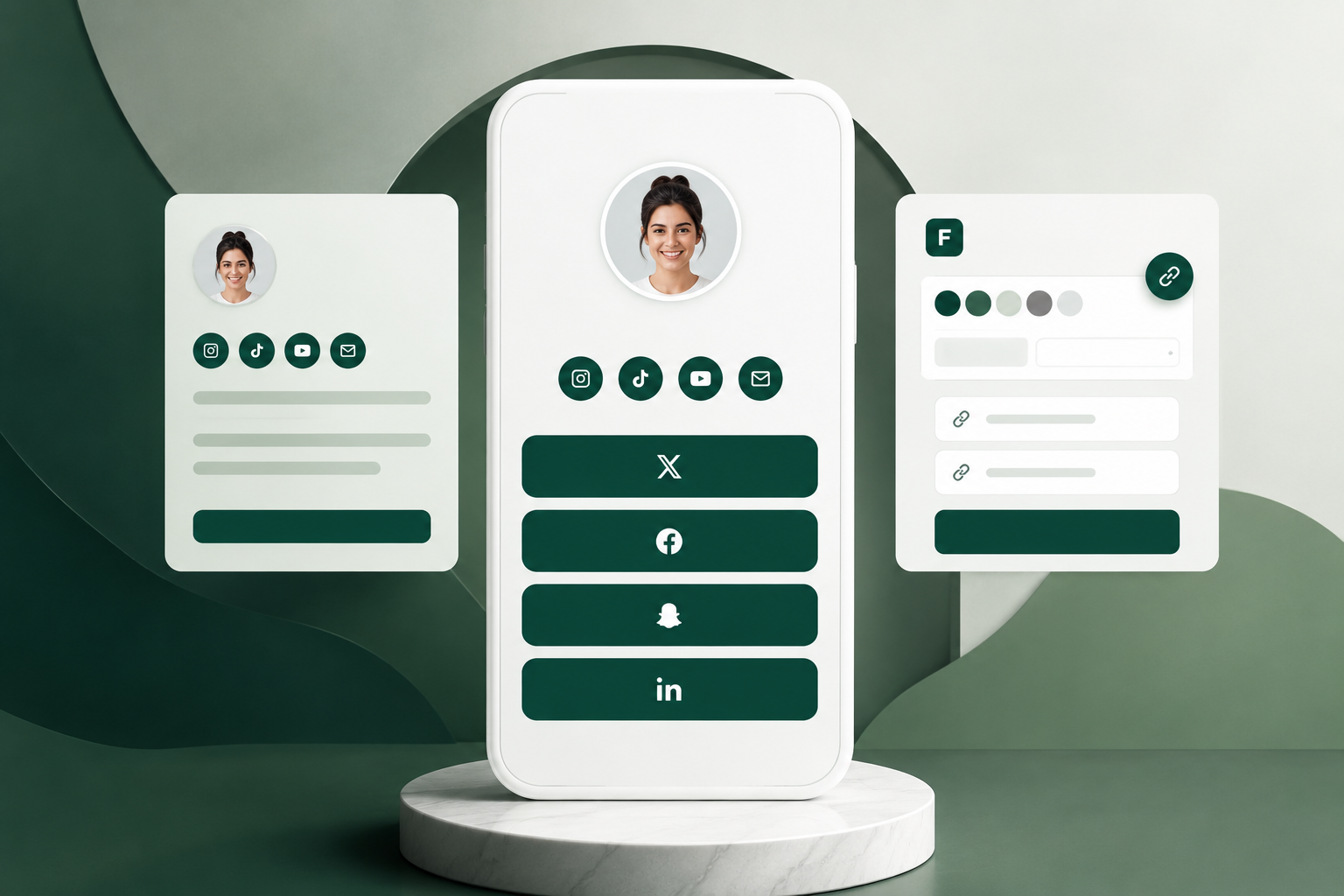
Folio - one bio link for all your content, socials, and online presence. An all-in-one bio link app that helps creators, professionals, and businesses showcase their online presence in one clean, customizable page. With Folio, you can create a personalized profile, upload a photo, add a bio, and organize all your important links including social media accounts, websites, email, and more. It gives visitors a single destination to connect with everything you share online, without the clutter of multiple links. What Folio does * Create a custom profile page with your name, photo, and bio * Add social media links like Instagram, TikTok, YouTube, X, LinkedIn, Facebook, and email * Display quick-access social icons for instant connections * Update your page anytime through a simple dashboard * Share one single link instead of multiple profile links across platforms Folio is designed as a sleek alternative to traditional bio-link tools, focusing on simplicity, speed, and a polished professional look so users can present their digital identity beautifully in one place.
Sumoaudio
True North Radio
Aurum - control de finanzas personales
Inkwell
5K+
500K+
Sumopaint
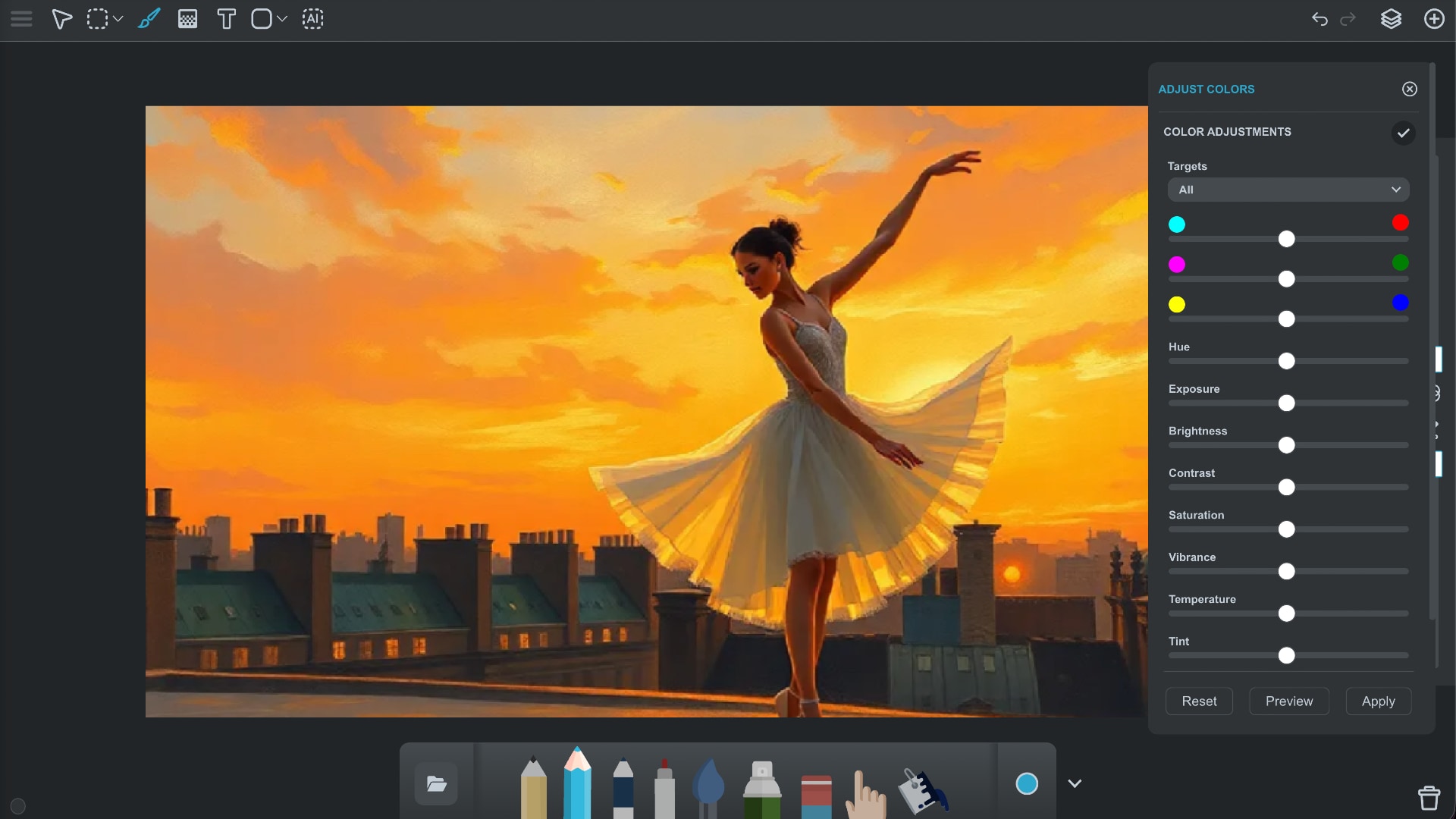
Create, paint, and edit images directly in your browser. Sumopaint is a powerful drawing and photo editing application that works on any device. *Key Features* - Over 300 brushes, including multi-color and texture brushes - Drawing assists: Gravity, Perspective, Symmetry and Spinner - Stylus support (Apple Pencil, S-Pen) - Layer-based editing with blending modes - Gradient tool - Vector shapes - Text tool (with custom TrueType font support) - Image adjustment tools (colors, filters, adjustment brush, vignette) - Lenses (non-destructive effects), such as Kaleidoscope, Spin Blur or Displace - Built-in AI image generator - Convert layer into texture brush or brush tip - Full retina resolution support - Import and Export PDF files